Friday, August 21, 2020

Friday, August 21, 2020

Dave, Elliot, and I were so excited to visit morning meetings this week. I was also able to get into a few specialist classes and will continue to stop by more next week. We heard from so many of you how energizing it was to work with students in small groups and 1:1 this week. They are our “Why.” 

Our back to school events are the highlights of the upcoming week. Let us know if you need any support with hosting your event. 


Upcoming Week at a Glance:


Day

Event

August 24


August 25

Back to School Events

Aug. 25: Grades 3-5

  • 11:30 a.m. grades 3 & 4

  • 11:50 a.m. grade 5

August 26

KG-2

  • 11:30 a.m. KG & grade 1

  • 11:50 a.m. grade 2


All Faculty Meeting hosted by Andrew

August 27

EY

  • 12:15 p.m.


August 28


Back to School Zoom Thoughts

Things to consider:

  1. Making the chat only visible to the host so questions can be filtered. This idea won’t work if you plan to make your presentation interactive in any way. 

  2. Disabling the waiting room for this event - parents may be coming and going and this alleviates the need for the host to monitor the waiting room during the presentation.

  3. Asking parents to remain on mute. The host has the ability to mute anyone who unmutes themselves (feel free to use this feature as background noise can be very distracting.

  4. Spreading out the tech roles on the team - one person screen shares and the host monitors the chat.

  5. Playing music as parents enter is calming and alleviates the awkwardness of everyone staring at each other waiting for the presentation to begin.


Student Engagement - Specialists Checking In on Students

When specialists notice that a student isn’t engaging in work for a couple of weeks, we have asked the specialists to contact the homeroom teacher to check in about the student before contacting the parents. 


Notes from the Faculty Meeting

As your your team reflects on the new daily plan/virtual classroom from the student’s perspective, here are some questions to consider:

  • Is everything in one place? Do the students go to one spot to find everything without having to go between email, Seesaw, and a slidedeck? Basically, what’s your main method of communication? 

  • Do students have access to the weekly planner? 

  • Do parents need to access something for their child or can students access everything they need?

  • How many clicks did it take to get to a task?

  • Is everything linked and are the links working? Link it all and check the links!

  • How many apps and docs are students toggling between in one day?

  • Are the directions crystal clear? If students don’t have to post anything, is that explicitly stated?

  • Are there due dates? 

  • Is the slide visually appealing and easy to read?

  • Is there a clear, simple, written checklist students can use to let them know what to do each day and to keep track of what they completed? 


Feel free to revise and edit your daily plan template as needed to ensure students can concentrate on the content and tasks and not on the navigation of the workflow. 


Tech Integration from Priya


  • Raz Kids

This tutorial will show you how to assign students reading assignments. This is a mandatory skill you all need to know. Click this link here to learn more. If you need one on one training please feel free to schedule a time with Priya Venugopal.


  • More tips and tricks about Seesaw

As you start creating content on Seesaw it is important that you start creating folders. This will help the students label their work and it will help you when student-led conferences come. Use folders for organization


From the Counselors

Morning Meeting/RC Corner 

Our second full week of classes is complete and classes continue to build community and set forth class routines and procedures. As an ES, we are being intentional with clear instructions to students including expectations around muting, participation and sharing! Hopefully, everyone had a chance to read some of the Responsive Classroom released first 10 days of school resource. If not, here is the place to find it - RC Covid 19 Released Resources 


  • Next up - Sharing! 

  • In the days ahead, think around how to introduce sharing as a procedure. How can students sign up to share something from their daily lives? How will you model questions and comments? Please reach out if you have wonderings around this process.  


  • RC Videos - If you have an itch to watch some RC videos around introducing goals or rules creation, here is the place to find 2 videos with examples from lower and upper elementary school - RC Videos.  

Coaching Corner

  • Co-Planning and Anecdotal Notes

As we develop new ways to collaborate and gather student data, co-teaching teams are creating ways to plan and gather information.  This example shows how you might use Google Sheets in various ways.  Have you created a helpful tool? Please share! We’d love to add it to the Coaching Corner.  Reach out to Mary Kelly to chat more.
  • Conferring Tips and Ideas

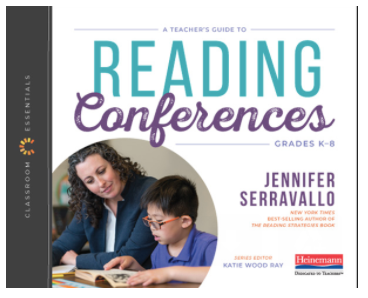
Are you looking for new conferring tips and strategies? Would you like to see conferring in action?  Jennifer Serravallo's new book Reading Conferences K-8 is full of fresh and exciting ways to leverage the power of conferring to engage our young readers and writers. Although we are not on campus to access this resource, you are able to add this resource to your Heinemann account. Simply use the code CEREADCON to register this new resource. If you have any questions or concerns, please feel free to contact Alex. 


Teacher Appreciation Day (Friday, September 4)

As we continue to celebrate cherished traditions despite being apart, we’re pleased to announce a virtual celebration of Teacher Appreciation Day on Friday, September 4, 7:45 a.m. Stay tuned for Zoom details as we honor this tradition with the Board. 


But what is Teacher Appreciation Day without that amazing breakfast spread? On September 4, faculty, teaching assistants and staff in Chennai will receive a scrumptious breakfast delivery from our partners at ITC between 6:45–7:45 a.m. And while we regret being unable to extend the same gastronomic gesture to our out-of-India faculty, we have a special delivery planned for you too!


Watch this space for more details closer to September 4!


Enjoy your weekend!

Lynn, Dave, and Elliot


Friday, August 14, 2020

Friday, August 14, 2020

Everyone’s first full week back to school was a success. I hope the virtual home visits went well and that you feel you have a greater understanding of how you can support your students in VL. Thank you for putting in the long hours on Zoom. 

Dave, Elliot and I have been letting you connect with your students and have not joined any morning meetings or specialist sessions this past week. We will start popping into MM and specialist sessions starting this coming week. We do not want to interrupt your meeting so please do not feel the need to stop the flow of your meeting when we join. We would like to say hello to everyone at some point in the morning meeting, but we’ll take your lead on that. Specialists, there is no need for us to say hello during your sessions. We miss working with students so both of us are very excited to join classes.


India celebrates it's 73rd Independence Day this weekend! Happy Independence Day!


We have a lot of important information this week.


Upcoming Week at a Glance

Day

Event

August 17


August 18

AISC Birthday!

August 19

ES Faculty Meeting - wear a hat (can be homemade, virtual, or one you own)  3:45 pm

August 20


August 21

Virtual Mela 1:00 - 4:00 p.m. Please advertise on your weekly plan.


August 19th Faculty Meeting 

Zoom ID: 914 4022 3536

Password: aisc

Meeting Focus: Back to School Events

We will meet as a large group and then you will have time to plan your back to school event with your team. 

**Spirit Day! Please wear a hat to the meeting (can be homemade, virtual, or one you own).


Back to School Events

Our Back to School events will take place the week of August 24th. 

Aug. 25: Grades 3-5

  • 11:30 a.m. grades 3 & 4

  • 11:50 a.m. grade 5

Aug. 26: KG-2

  • 11:30 a.m. KG & grade 1

  • 11:50 a.m. grade 2

Aug. 27: EY

  • 12:15 p.m.


Lynn’s and Dave’s Office Hours

Drop in for any reason.

Lynn: 9:45 - 10:15 a.m. (Link) Password: aisc 

There will be times when Lynn has a meeting conflict and can’t hold office hours. Please text, email, or set up a meeting if you weren’t able to catch me during office hours. 

Dave: 2:30-3:00 p.m. (Link)


Weekly Plans

Just a reminder that the Weekly Plans are a running document. You can simply add a row above the current week in the Independent Learning table. If students need to make up work, all of the past assignments will be on one document.


VL Expectations

As you start to create your schedule for small groups and 1:1, we’d like to clarify the expectations for how many synchronous sessions students will have each day. 

  • Each student will have the opportunity to join a morning meeting each day

  • Each student will have one 1:1 session per week with either the homeroom teacher, EAL teacher, or Cassidy (for NA/SA based students)

  • Each student will have the opportunity to participate in a whole class or small group session daily


Counselors - MM, Seesaw Activities, and Office Hours

Both Linda and Michele will start joining MM. They will connect with you about when they will join but you can also reach out and invite either of them to your MM. 

Both Linda and Michele will be offering office hours on Monday and Wednesday from 3:00-3:30 for students and parents. The link was included in the Principal’s Blog. 

Starting the week of August 24th, both Linda and Michele will add a counseling Seesaw activity for the students. They will add the activity to the grade level weekly plan.


Virtual Mela

The Advancement Office has launched a Digital Program ahead of the 25th Anniversary Virtual Mela on Friday, August 21, 2020 (1:00–4:00 p.m. IST). With activity descriptions and trailers, community partner information and other details, the Digital Program will help you plan your Mela Day so you can experience a birthday like no other at our largest virtual celebration!


Tech Integration

We are working on developing a resource of tech tools and tutorials for teachers to support virtual learning. Watch this space for an update.  In the meantime, please don't hesitate to share your discoveries with us!


EYs- Grade 2

How to share Padlet in EYs - Grade 2


Grade 3 - Grade 5

Changing Passwords in Google


EYs - Grade 5

How to set up Kahoot Asynchronous


Morning Meeting Specialist Rotation

Specialists will start joining morning meetings on Monday, August 17th. You will find the schedule here. We will rotate the schedule every 3 weeks so specialists have the opportunity to connect with different classes.


Faculty Supervision

Here are your direct supervisors for the year:

Lynn will oversee all grades and subject areas but will directly supervise KG, 4, 5, and specialists

Dave - EY, grades 1, 2, and 3

Elliot - will work with Lynn to supervise the specialists


Approving Seesaw Posts

Specialists will start posting Seesaw activities on Monday, August 17th. Classroom teachers, please do not approve the specialists’ posts. 


Elliot’s Morning Meeting/RC Corner 

Great work keeping momentum and engaging students this week as you build your classroom communities. You know your beginning of the year Morning Meetings are going well when lots of students are sharing and learning about each other! 

This week, consider introducing Hopes and Dreams if you haven't yet. This will help increase student voice and belonging in the class environment. How to introduce Hopes and Dreams from the Responsive Classroom website! 


REMINDER: 

Yearbook - Back to School Photo Scavenger Hunt

The yearbook coordinators are looking for back to school photos from ES students! As you can imagine, collecting photos while we are in the virtual world is a difficult task.The coordinators had the idea of students doing a quick 5-10 minute at-home photo scavenger hunt the first week of school. This could be assigned as a Seesaw activity the first week. Parents, teachers, and students can upload their pictures here. Please provide this link to parents so they can upload photos from the at-home scavenger hunt. 


Photo scavenger hunt ideas:

1. A picture of themselves in their front doorway, clearly showing their first-week-of-school outfit

2. A picture of their planned workspace

3. A picture of the place they spent the most time over break, with them in it

4. A picture of something that has made them happy over break

5. A picture of the best view in their house


Have a wonderful weekend!

Lynn, Dave, and Elliot

Friday, August 7, 2020

Friday, August 7, 2020

Wow! Quite a different start to the school year, but a positive one nonetheless. I hope you were able to meet all of your students and start building connections. 

Although there were a few technical difficulties, we had over 200 students join our welcome back assemblies. Apologies for not getting the upper grade morning meeting screenshots shown during the 3-5 assembly (that was one aspect of the technical difficulties:) We’re all learning the ins and outs of Zoom. 


Upcoming Week at a Glance:


Day

Event

August 10

Virtual home visits all week

ASAs begin

Specialist live sessions begin

August 11

Emergency Telephone Tree 7 pm

August 12

Faculty Meeting

August 13


August 14


Lynn’s and Dave’s Office Hours

Drop in for any reason.

Lynn: 9:45 - 10:15 a.m. (Link) Password: aisc

Dave: 2:30-3:00 p.m. (Link)


Morning Meeting/RC Corner 

Great start to the virtual year in Morning Meeting! The foundations for our community of safe, supportive learning spaces is being laid daily. Some highlights include - interactive songs, sign language, dance parties, clear morning messages and lots of smiling children! 

Quick tips 

  • Use your power to mute or unmute students when necessary. Especially with the youngins, unmuting or muting all will help keep the flow of the meeting going.

  • Big MO - Keeping momentum is critical in virtual MM. Since you can expect some disruptions from slow connections and muted speakers, keep side conversations with individual students that don’t connect to the morning meeting at a minimum to keep the whole class engaged. 

  • Feel free to accelerate introducing the share and activities earlier than you would normally in our classrooms. Fun games and activities do help build community, and we are missing all the other parts of the day where we would normally build these in. 

  • Next week possible focus - Hopes and Dreams!  


Weekly Plan

Please make sure to share the weekly plan with families and students so everyone can access the links for the MM and the live specialist sessions.  


Specialists Will Be Part of the MM

Specialists will be a part of class morning meetings. The schedule will come out in next week’s Faculty Notes and specialists will start attending meetings the week of Aug. 17th.


Specialist Office Hours 

Specialists, please let students and parents know how they can access you during office hours in your first Seesaw post the week of August 17th. You can choose how you would like to hold office hours. For example, you can have an open drop-in time or ask students/parents to make an appointment with you. 


Specialist Assignments 

There have been a few changes in specialist teacher assignments. We got a bit creative with the art and design rotation as well as the Indian Studies and Spanish rotation for grade 3. Below are the specialist grade level assignments. 


**Keeley will be teaching French to only the 5th grade students who took French class last year. French will not be offered in 3rd or 4th grade this year. 


Counselors

Both Linda and Michele are available to help support students, parents, and all of you. Please reach out for any reason. 

Linda will be working with EY - grade 3

Michele will be working with grades 4 & 5


iPad Check Out 

If you’d like to check out an ipad, please email itsupport@aischennai.org.


Student Learning Facilitators

Teachers with students in Europe and North/South America, please be in touch with Cassidy and Keeley often to help them support students in their region. 


Yearbook - Back to School Photo Scavenger Hunt

The yearbook coordinators are looking for back to school photos from ES students! As you can imagine, collecting photos while we are in the virtual world is a difficult task.The coordinators had the idea of students doing a quick 5-10 minute at-home photo scavenger hunt the first week of school. This could be assigned as a Seesaw activity the first week. Parents, teachers, and students can upload their pictures here. Please provide this link to parents so they can upload photos from the at-home scavenger hunt. 


Photo scavenger hunt ideas:

1. A picture of themselves in their front doorway, clearly showing their first-week-of-school outfit

2. A picture of their planned workspace

3. A picture of the place they spent the most time over break, with them in it

4. A picture of something that has made them happy over break

5. A picture of the best view in their house


Attendance

Homeroom Teachers, please mark student attendance on Powerschool before 4 p.m. everyday. Your TAs and co-teachers are also able to enter attendance for the class. Please decide who will mark this on a regular basis. 

Padma & Hazel are expected to send the report to HoS by the end of each day. Remember to send them an email if you are unable to enter the details into Powerschool. If students submit work later, the attendance can be amended the next day.


As per the Distance Learning Expectations Document:

  • EY - 2: engagement equals attendance.  G3-5: engagement and submission of work.


Faculty Attendance

If you are unable to commit to a school day due to sickness or any other situation, please do inform us by email copying Lynn or Dave, your team, and Hazel & Padma. You can also text / Whatsapp Hazel on her cell 9940635826. 

Requests for personal or professional leave should be made well in advance to Lynn and ensure that you have lesson plans prepared and your team is ready to take over. 


Have a wonderful weekend!

Lynn, Dave, and Elliot


Bitmoji Image